How to Test a Roblox Multiplayer Guessing Game
A practical two-player test plan for Roblox guessing games: turns, clues, wins, rematches, disconnects, rewards, and server-authoritative outcomes.
Start with two genuinely separate views
A multiplayer round can look correct on one screen while the other player sees a stale turn, the wrong clue, or a different result. Keep an untouched source copy, then use Studio's Server & Clients testing mode to run a server and two separate clients. Keep both player views visible while you test.
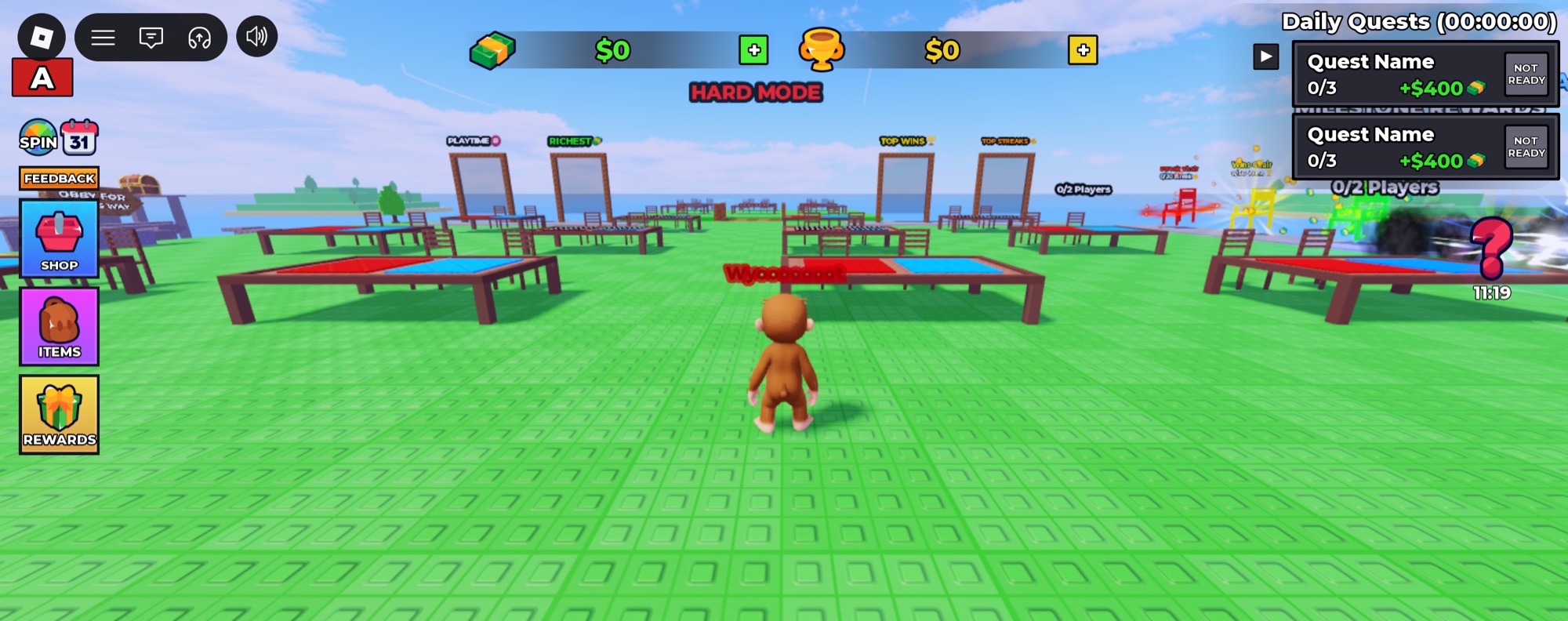
Guess My Template's screenshots show head-to-head tables, a social lobby, round prompts, and rewards. Use those as the test surface: enter a match with two clients, record the intended starting state, and identify which information each player should and should not see.
Write down the round's expected states
Describe the round in plain language before inspecting code: waiting for an opponent, starting, taking turns, resolving a guess, ending, and becoming ready again. Your actual project may use different names or combine these stages. The purpose is to establish an expectation you can compare across the clients and server.
Follow one ordinary match without trying to break anything. Note whose turn is active, what buttons are enabled, how the opponent is represented, and when the result appears. Repeat a second match immediately. State that works once can still fail when an earlier round has not cleaned up properly.
- Match two clients and confirm that both enter the same round.
- Take turns and compare the visible prompts on each screen.
- Finish the round and confirm that both players see the same outcome.
- Start a rematch and check that previous clues, timers, and rewards do not leak into it.
Test the uncomfortable transitions
Try leaving before a match starts, leaving during a turn, resetting a character, and joining while another round is active. For each case, decide what should happen to the remaining player. Can they leave the table, find another opponent, or reach a clear waiting state? An abandoned round should not trap the interface.
Also test a rapid second button press, an invalid guess where the rules allow you to enter one, and a timeout if the game uses a timer. Keep observations separate from assumptions. If the design has no tie condition, document that rather than inventing a tie feature for the listing.
Verify rewards independently from the victory screen
A win animation is not proof that the correct progress was saved. Compare the displayed result, the recorded reward, and what remains after leaving and rejoining your isolated test experience. Try to claim the same reward twice and check that repeatable rewards follow their intended schedule.
The included project shows playtime and other reward interfaces as well as a shop. Review each track's requirements and configuration for your own release. Keep data tests away from live player stores, and verify purchase fulfillment separately from the guessing-round logic.
Finish with the first-time player journey on a smaller screen. A working multiplayer system still needs readable clues, understandable turn indicators, and controls that fit the device. Save the test steps alongside your release version so future edits have a consistent baseline.
Verify your changes against a working baseline
Two-player rounds, clue content and rewards after each result. Start with the original download, then repeat these checks after each edit. Keep the test experience separate from live player data.
- Start two clients and verify that both see the same participants and current turn.
- Try a correct guess, an incorrect guess and a player departure during a round.
- Compare each client’s round result with the server reward and check a rematch.
When a test fails
A one-player preview cannot verify a head-to-head round. Use separate clients, watch server and client Output, and record whose turn it was when an answer or departure caused a problem.
Write down the downloaded filename, what you changed, the expected result, the actual result, and whether the issue happens on the server or a client. Include those details when asking for setup support.
Keep a repeatable checklist
Use the free Roblox launch checklist to keep track of setup, gameplay, data, and release checks. If you are still choosing a foundation, compare the four source templates before buying.
See the screenshots, included source, price, and setup expectations.
Official references
This is an editorial workflow, not an automatic audit or a claim that your changes have been tested. Check Roblox's current documentation for platform behavior and requirements.